 Download
Sites Display Abnormally When Permit Sites
Reason
Sometimes the site you allowed has some pictures or other info linked from other sites. In that case, the site will display abnormally cause you have not allowed the sites which provided the pictures and info.
Solution
Suppose you want to permit only yahoo.
Right click an image on yahoo, click "Properties" to get the "Address (URL)" of this image. You can see the URL is not yahoo but yimg (Figure 1-1).
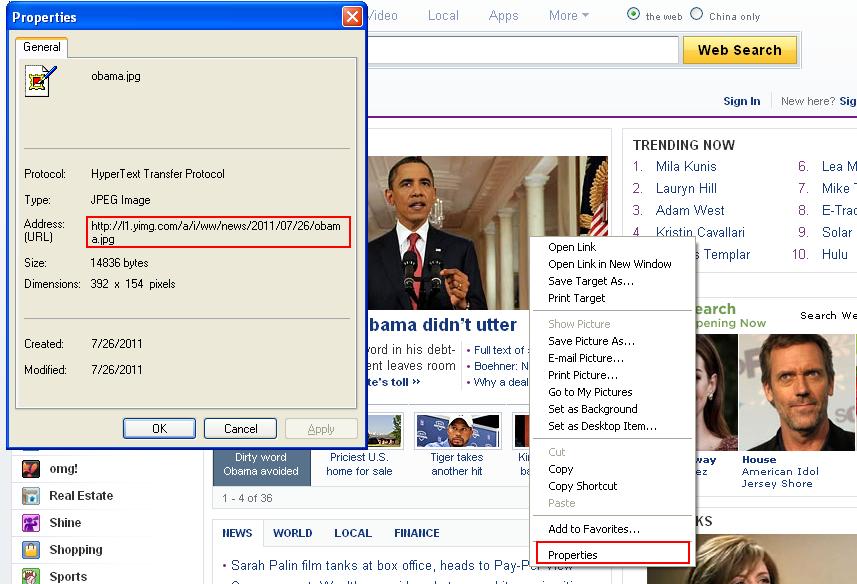
So the filter item should be ".yahoo.;.yimg.".
Note: for some sites, you may need to add more items in the filter, a better way to find the items is the CCProxy log. You can get all URL clients try to connect in the log, then choose to add items into filter with "". Nutshell, you need to add all URL of the site as CCProxy filter items.
Related:
