 Download
CCProxy - Share Internet Connection Software
I. Brief Introduction on CCProxy - Share Internet Connection Software
We have tested CCProxy for the following Internet Connections Sharing.
- Modem Sharing: [Dialup modem, ISP connections sharing, ISDN modem sharing]
- DSL Internet Connection: [ADSL, DSL, xDSL sharing]
- Cable Internet Connection
- Cable Modem Sharing
- Broadband Internet Connection
- Satellite Internet Connection
- Wireless Internet Connection: [Blue tooth sharing]
As a share Internet connection software, CCProxy is Windows OS based, it can be installed on various Windows OS versions. CCProxy is compatible with Windowsd XP, Windows 7, Windows Server 2003, Windows Server 2008 etc, both 32 bit OS and 64 bit OS. Besides Windows OS, CCProxy server is also available for clients with other OS such as Linux, Apple, Mobile OS etc.
For personal users and family users, CCProxy is a free share Internet connection software, the 3 user free version works the same as registered version. The only limitation is it can support only 3 clients, but for most uncommercial user it's enough.
II. Setup Proxy Server to Share Internet Connection
Step 1 - Proxy Server Setup and Initialization
- Suppose the proxy server address is 192.168.0.1.
- Download CCProxy from the download center, run ccproxysetup.exe and keep clicking the "Next" button to finish the installation.
- Launch CCProxy on the server to share Internet connection(Figure 1).
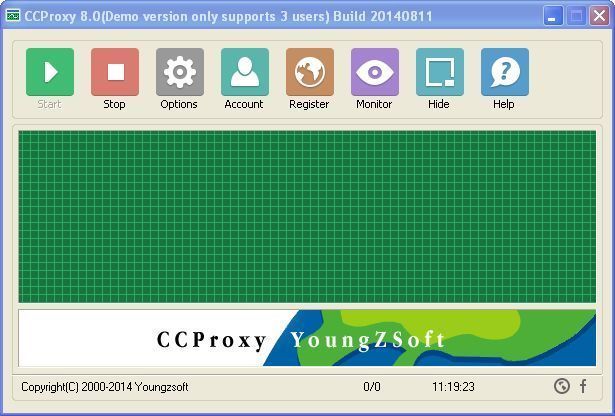
Figure 1
If you get problem in launch CCProxy, please refer to "CCProxy Start Problem".
Step 2 - Create Accounts for Clients on CCProxy Server to Share Internet Connection
After set up proxy server with CCProxy, you can create accounts and specify the authentication type for your own proxy server in the "Account Manager" dialog box of CCProxy as bellow.
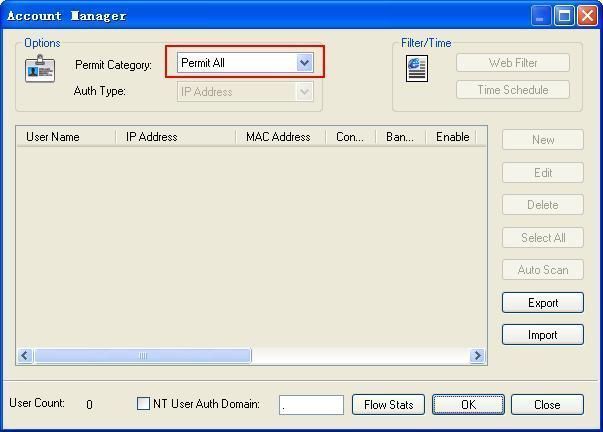
Figure 2
There are 2 authentication types for you to select:
Anonymous - please select "Permit All" for "Permit Category" as Figure 2.
Authentication required - please select "Permit Only" for "Permit Category" and then select proper "Auth Type" as you wish (Figure 3).
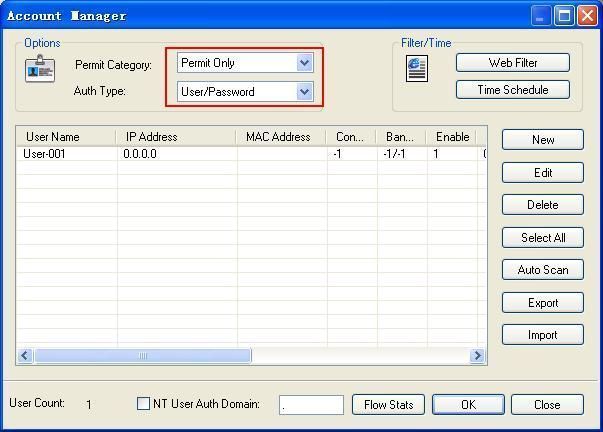
Figure 3
CCProxy supports several authentication types such as "IP Address", "MAC Address", "User/Password" and some combined auth types as you can see in the "Account Manager" dialog box. To share Internet connection, we recommend "IP Address" authentication type.
Step 3 - Make Proxy Server Settings for IE on Clients
- Go to client computer and open IE window.
- Open "Tools" menu, select "Internet Options" and open the "Internet Options" dialog box.
- Select "Connections" tab (Figure 4), click "LAN Settings" button and open the "Local Area Network(LAN) Settings" dialog box.
- Check "Use a proxy server for your LAN", Fill "192.168.0.1" in "Address" and "808" in "Port" (Figure 5).
- Click "OK" button in "Local Area Network (LAN) Settings" and "Internet Options" dialog boxes.
- Now you can browser Internet websites in IE at the client (Figure 6).
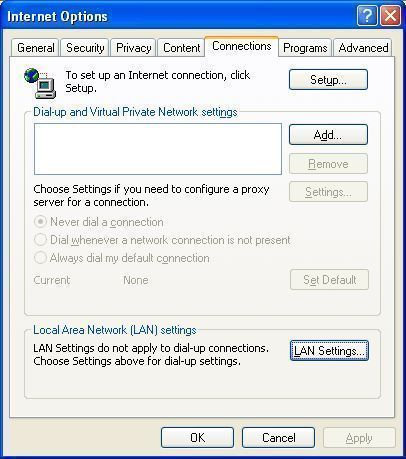
Figure 4
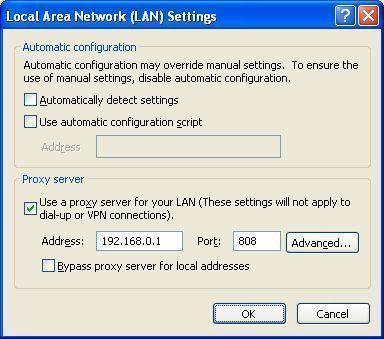
Figure 5
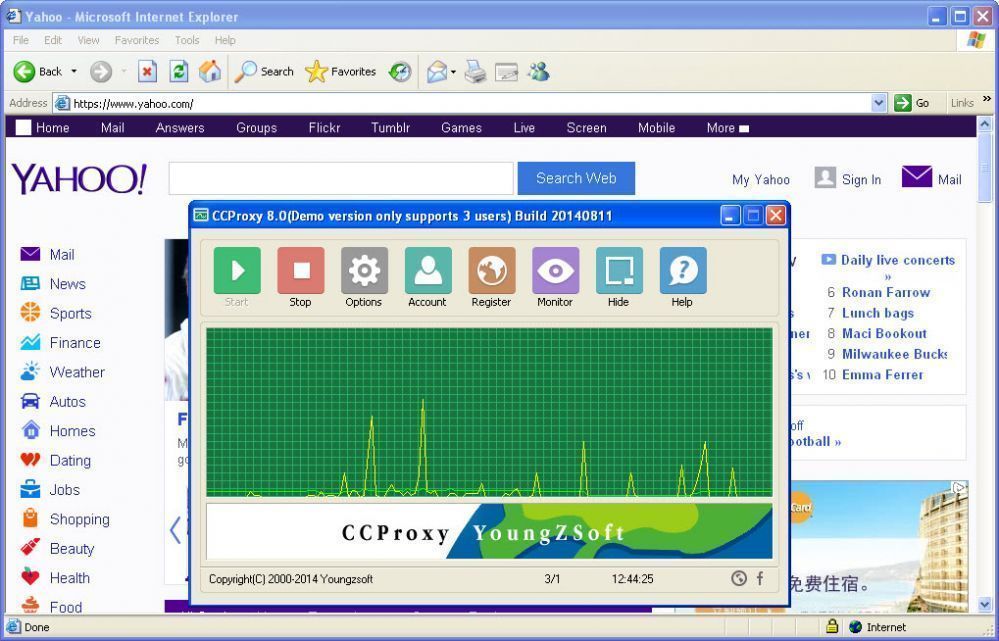
Figure 6
Besides IE, maybe you also need to make proxy settings for some other network applications such as MSN Messenger, Skype, CuteFTP etc. We have more instructions for you - how to proxy server for various network applications.


