Home
Features
Downloads
Purchase
Wiki
Contacts
Download
Wiki Home
Proxy for Others
Can I Use the Webcam or Voice Chat of MSN/Yahoo?
Use Ping Command via CCProxy
How to Telnet If I Get Access to the Internet
How to Windows Update with CCProxy
Set up Proxy in AVG for its Online Update
Proxy Settings for Time Server
Google Talk (GTalk) Proxy Settings
Make Proxy Settings for Java
Make Proxy Settings for UTorrent
Make Proxy Settings for TeamViewer on Client
CCProxy-Proxy Settings of Popular Software
Configure SOCKS Proxy Settings in MSN
Configure SOCKS Proxy Settings in ICQ
Configure SOCKS Proxy Settings in WinMX
Configure Proxy Settings in Yahoo Messenger
Configure Chat Software with SOCKS
Configure MMS Proxy Settings in Media Player
Configure RTSP Proxy Settings in Real Player
Configure Telnet Proxy Settings in NetTerm
Configure Java Proxy Settings for Game/Chat room
Configure IRC Proxy Settings in mIRC
Make Proxy for Norton AntiVirus Live Update
Set up Proxy in AVG for Online Update
Set Proxy in CA Anti-virus for Online Update
Remote Desktop via CCProxy
Configure Proxy Settings Normally
How to Use Remote Desktop via CCProxy
Configure Proxifier to Work with CCProxy
Make Proxy Settings for Dropbox
Make Proxy Settings on Android Phone
Make Proxy Settings on iPhone
Make Proxy Settings on iPad
Make Proxy Setting for Connectify
Use KMS with Proxy Server
Configure Freecap to Work with CCProxy
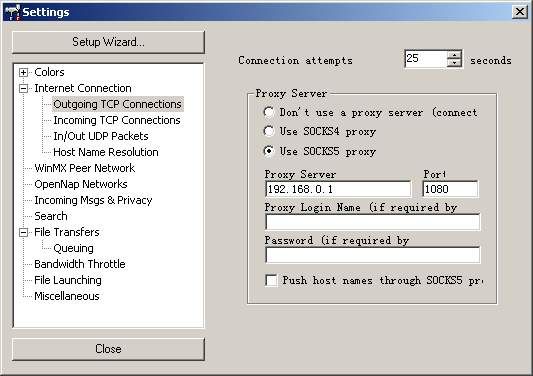
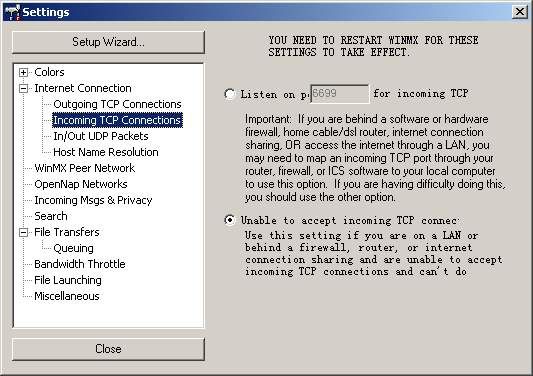
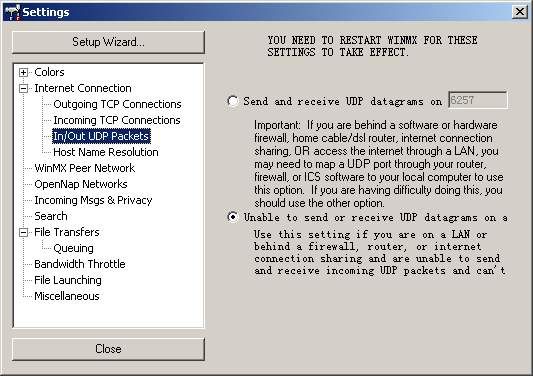
Configure SOCKS Proxy Settings in WinMX
2014/07/07 15:00
Proxy server address: 192.168.0.1
Related:
Configure Chat Software with SOCKS
Make Proxy Settings for Dropbox
Introductions on SOCKS Proxy Server, Especially SOCKS5 Proxy Server
Configure Freecap to Work with CCProxy
Configure Proxifier to Work with CCProxy
Live Chat
 Download